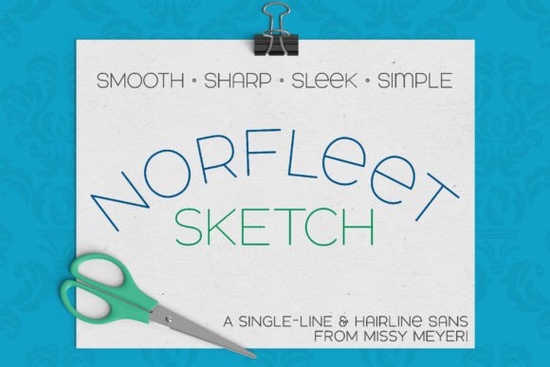
If you’ve been searching for a clean, modern single-line font that works beautifully with sketch pens, engraving tools, or foil quills, Norfleet Sketch (single Line) Font might be exactly what your next project needs. Unlike traditional outline fonts, this one was built from scratch as a true single-stroke design meaning it draws letters as if they were sketched by hand with one continuous line. That makes it perfect for use in Cricut Design Space, Silhouette Studio, Glowforge scoring, and other programs where you want crisp, minimalist lettering without the bulk of filled shapes.
What sets Norfleet Sketch apart is its elegant sans-serif structure smooth curves, minimal nodes, and a slightly wide stance give it a contemporary yet timeless look. It’s all uppercase by default, but sneak a peek into the lowercase set and you’ll find subtle variants like a rounded “A” or a lowercase-style “e.” Pair it with something bold like Bouldy for contrast, or keep things airy with Sunflower for a softer vibe. Honestly? It also looks great flying solo.
Which version should I download “One” or “Two”?
This is the question everyone asks and it’s an important one. The font comes in two versions: Norfleet Sketch One and Norfleet Sketch Two. Here’s the simple breakdown:
- Norfleet Sketch One is a true single-line font. Every character is drawn with one continuous stroke. This is ideal if you’re using advanced vector software like Adobe Illustrator, Affinity Designer, or Inkscape especially if you’re planning to tweak paths or remove automatic endpoint connections. It’s also compatible with some CNC programs like Rhinoceros.
- Norfleet Sketch Two is what’s called a “hairline” font. Technically, it’s an outline but the lines are so close together they appear as one. No editing needed. Just install, type, and go. Works flawlessly in Silhouette Studio, Cricut Design Space, CorelDRAW, and most mainstream design apps.
If you’re not sure which to pick, start with “Two.” It’s the most user-friendly and widely compatible. And don’t worry your download includes a handy PDF guide that walks you through choosing the right version based on your software.
Where can I actually use this font?
Single-line fonts like Norfleet Sketch aren’t meant for printing documents or cutting vinyl. They’re designed specifically for tools that draw rather than cut or fill think:
- Sketch pens in Cricut or Silhouette machines
- Foil quills or infusible ink pens
- Engraving bits on laser cutters like Glowforge (using score mode)
- Any stylus-based tool that traces instead of outlines
One quick note: if you’re using Brother Canvas Workspace, there may be compatibility issues. The developer doesn’t guarantee functionality there, so plan accordingly.
How do I pair it with other fonts?
Because of its clean, minimalist structure, Norfleet Sketch plays well with almost anything. Try layering it over a textured serif like Bourgueil for wedding invites, or under a playful display font like Adventure for kids’ crafts. Since it’s all caps with consistent weight, it adds polish without overpowering.
You can also experiment within the font itself mixing standard uppercase with those lowercase-style alternates (like the round “A”) gives your text a custom, hand-lettered feel without any extra work.
Is this font beginner-friendly?
Absolutely as long as you’re using it in the right context. If you’re new to single-line fonts, stick with Norfleet Sketch Two. Open your favorite design program, type out your phrase, and hit “draw” or “score.” That’s it. No path editing, no node tweaking. If you’re comfortable in vector software and want more control over stroke behavior, then One gives you that flexibility.
And remember this isn’t just for crafters. Print-on-demand sellers love single-line fonts for minimalist apparel designs, while small businesses use them for elegant packaging labels or engraved signage. Hobbyists? Perfect for journaling, planner layouts, or personalized gifts.
For more info on how single-line fonts work across different platforms, check out Norfleet Sketch directly on Creative Fabrica you’ll find tutorials, customer examples, and support if you run into hiccups.
Quick checklist before you start:
- ✅ Decide between “One” (advanced/vector users) or “Two” (everyone else)
- ✅ Confirm your software supports single-line or hairline fonts
- ✅ Test a short word first adjust spacing or scale as needed
- ✅ Avoid using for print or cut projects this is for drawing only
- ✅ Explore pairing options with Norfleet Sketch’s alternates for extra personality
Start simple. Type a name. Draw it. See how clean and effortless it looks. Then build from there.
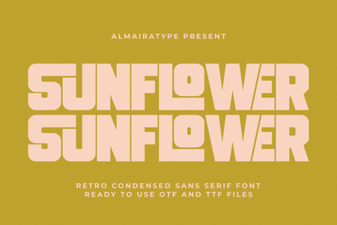 Sunflower Font: a Creative Typography Guide
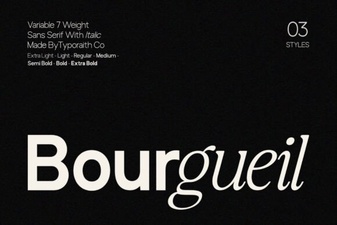 The Bourgueil Font for Modern Print Design
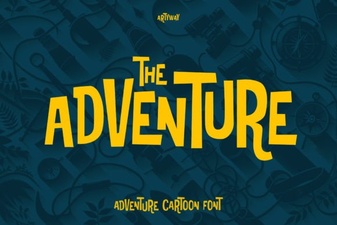 Adventure Fonts for Dynamic Design Projects
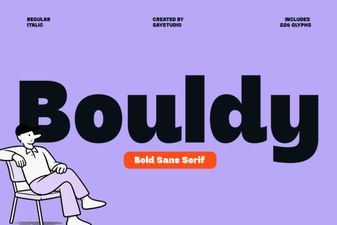 Bouldy Font: a Versatile and Creative Design Asset
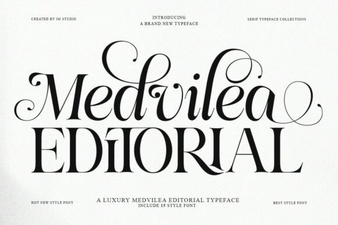 Medvilea Font: Editorial Designs and Creative Projects
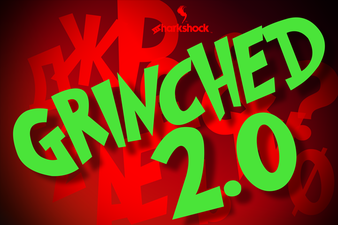 Grinched 2.0: Creative Font Design for Projects